


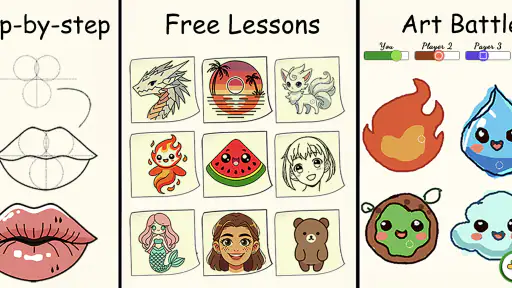
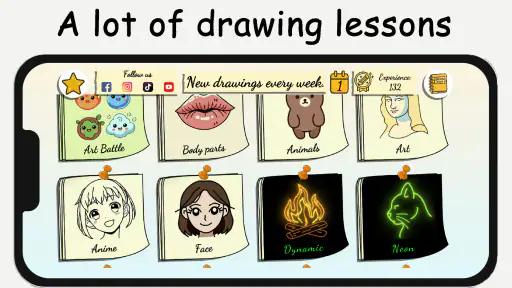
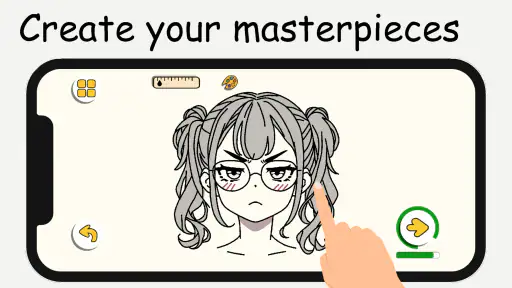
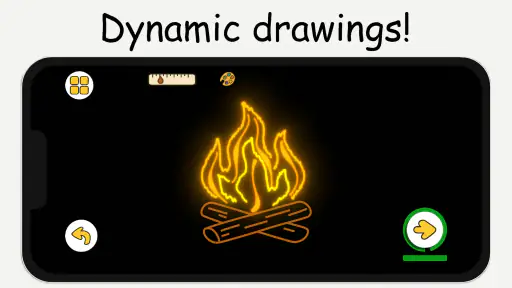

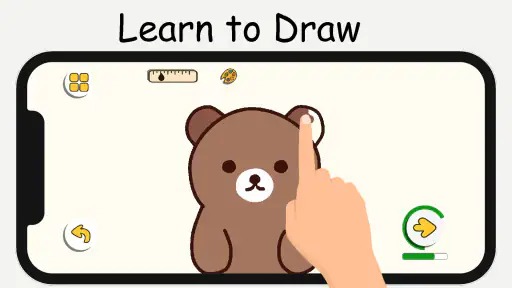
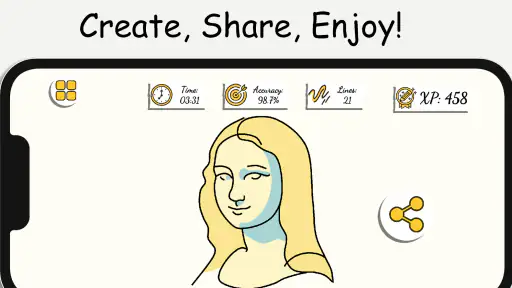
I tried ArtLoop: Learn how to draw as a casual drawing companion rather than as a full digital art studio, and that distinction matters. Its strongest idea is turning practice into a guided activity: instead of opening a blank canvas and wondering what to do, I can follow a lesson, copy the stages, and gradually build a finished sketch. The app sits in the Art & Design category, but its appeal is especially clear for beginners who need structure more than a large toolbox.
LifeIsGame has made a free app with an Everyone age rating, so it is easy to recommend for families, curious first-time artists, and anyone who wants a low-pressure way to practise. The app has attracted over 5 million installs and holds a 4.6 average from around 71 thousand ratings, which suggests that the simple learning approach connects with a broad audience. I would not treat those figures as proof that it replaces a professional drawing program, though. ArtLoop is better understood as a guided practice space with a social, connected side.
How ArtLoop turns drawing into a guided habit
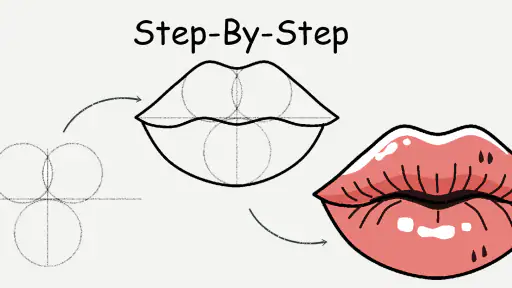
The first thing I noticed is that the step-by-step format changes the emotional side of drawing. A blank page can make a new learner hesitate, while a sequence of manageable instructions gives the hand somewhere to begin. I can focus on one shape, line, or detail at a time instead of trying to understand the entire picture immediately. That makes the app useful for short sessions when I want a creative break but do not have the patience for a formal course.
The lessons also encourage a different kind of progress from simply copying finished pictures. When I follow a sequence, I start noticing construction: where a form begins, which lines define its outline, and how smaller details are added later. That is a valuable habit for beginners because it shifts attention away from making a perfect image on the first attempt. My practical advice is to pause after each stage and compare the proportions before moving on. Rushing through every step turns the activity into tracing by memory rather than learning.
The fun lesson approach keeps the experience lighter than a traditional art class. I found that useful on days when I wanted to draw without committing to a long project. It is also a good fit for a child or teenager who may lose interest if every exercise feels academic. At the same time, experienced artists may find the guided material too constrained. If you already understand perspective, anatomy, shading, and composition, the app is more likely to serve as a warm-up than as a serious training environment.
The multiplayer drawing element gives the app a different character from a typical tutorial library. Drawing with other people can make practice feel less solitary, and it creates a reason to return even when I am not working toward a polished illustration. The trade-off is that connected interaction brings more dependence on timing, other participants, and the quality of the network. It is not the same calm experience as sitting alone with a sketchbook.
What works especially well on a phone
A phone is a natural place for quick drawing exercises because it is usually close at hand. I can use a spare moment on a commute, during a break, or while waiting for an appointment. The compact format makes the lessons feel approachable, although it also means that finger drawing is less precise than using a stylus or a larger tablet. For broad shapes and simple practice, that limitation is manageable. For tiny details, it becomes noticeable.
I recommend turning short sessions into a repeatable routine rather than trying to complete everything in one sitting. For example, I might use one lesson to study the outline, stop before adding details, and return later to finish it. This is more useful than treating the app like a feed to scroll through quickly. The pause-and-return method also helps reveal whether I genuinely understand the form or merely followed the instructions while they were visible.
Another practical trick is to use the app before opening a more advanced art tool. A guided exercise can act as a warm-up for hand control and observation. Afterward, I can recreate the same subject in a separate drawing app with layers, brushes, and more control. In that workflow, ArtLoop is not competing directly with a professional canvas; it is preparing me to use one with a clearer idea of what I want to draw.
People who prefer physical materials should know what they are choosing. ArtLoop offers the convenience of a digital lesson, but it does not provide the tactile resistance of paper, pencil, or paint. I would choose it for portability and immediate guidance, not for the feel of traditional media. Someone who already owns a sketchbook and enjoys inventing subjects independently may get more satisfaction from a conventional drawing routine.
Where connectivity changes the experience
The connected parts deserve attention because they affect how I plan to use the app. A lesson or drawing activity can feel straightforward when the connection is stable, but multiplayer interaction is naturally more sensitive to interruptions than a private sketch. If the network becomes unreliable, the social rhythm can break: a shared activity may take longer to start, feel less responsive, or require another attempt. That is not a flaw unique to ArtLoop, but it is an important difference from drawing alone.
I would therefore separate my expectations into two modes. When I have a dependable connection, I can explore the social side and treat the app as an interactive activity. When I am travelling or dealing with a weak signal, I would avoid planning an important session around multiplayer. I would also begin a lesson early rather than waiting until the last few minutes of a break, because a connected start can be less predictable than opening a paper notebook.
This network awareness is particularly relevant for parents deciding whether the app suits a child. The Everyone age rating makes the app broadly accessible, but age suitability and connectivity suitability are different questions. A child may enjoy the drawing itself while becoming frustrated if a shared activity does not respond as expected. I would introduce the app in a calm setting first, explain that connection quality can affect interactive moments, and encourage the child to treat the lesson as practice rather than as a performance.
For users watching mobile data, the sensible approach is to use ArtLoop deliberately. I would prefer a trusted Wi-Fi connection for multiplayer sessions and avoid repeatedly restarting activities when the network is unstable. I would also check the app’s in-app purchase prompts before handing a device to a child. The app is free to start, while optional purchases are listed at $0.99 per item, so a quick conversation about spending is worthwhile even when the basic download costs nothing.
What happens when a session goes wrong
One of the less obvious challenges with a connected creative app is that recovery matters almost as much as the lesson itself. If a drawing session is interrupted, the worst response is to assume that every attempt must be completed perfectly. I prefer to treat the interruption as a natural stopping point: remember the last stage, reopen the activity when conditions are better, and repeat that stage if necessary. Repeating a small section can reinforce the skill instead of wasting the whole session.
I also suggest taking a quick mental note of the current step before switching away. In a guided sequence, knowing whether I was working on the main outline or the finishing details makes it easier to resume without confusion. This is especially useful on a phone, where calls, notifications, and other tasks can interrupt unexpectedly. The habit does not add much effort, but it reduces the feeling that a broken session has erased all progress.
Multiplayer requires a different attitude. If another participant leaves or the connection falters, I would not judge the app solely by that moment. The social feature is an extra layer, and its success depends on more than the drawing tools. My preferred fallback is to return to a solo lesson or practise the same subject independently. That keeps the creative habit alive instead of making the entire experience depend on a perfect shared session.
There is also a creative recovery technique worth trying: use an imperfect result as a study sheet. Rather than deleting a drawing because the proportions look wrong, I can identify the first stage where the mistake appeared and redo only that part. This turns failure into a targeted exercise. It is one of the reasons guided drawing can be more useful than endlessly browsing finished artwork; the stages give me a way to diagnose what went wrong.
How it compares with common alternatives
Compared with a blank-canvas drawing app, ArtLoop offers a clearer starting point. Traditional creative software usually gives me more brush choices, layers, color controls, and export-oriented tools, but it may leave a beginner alone with too many decisions. ArtLoop wins when the main question is, “What should I practise next?” The more advanced app wins when I already know the subject and need precision, editing control, or a finished illustration workflow.
Compared with video tutorials, the guided format feels more active. A video can demonstrate technique beautifully, but it is easy to watch without actually drawing. ArtLoop encourages me to make marks alongside the lesson. On the other hand, video instruction can provide richer explanations of pressure, gesture, shading, and artistic reasoning. If I want to understand why an artist makes a particular choice, a detailed course may be better. If I need a simple prompt that gets my hand moving, ArtLoop is more convenient.
Compared with a physical sketchbook, the app supplies direction and portability but loses the freedom and tactile pleasure of paper. A sketchbook is excellent for private experimentation, notes, and long-term visual journaling. ArtLoop is stronger for someone who benefits from a sequence and wants a more playful digital setting. I would happily use both: the app for guided exercises, then paper for exploring variations without instructions.
The multiplayer component is another point of difference. Many drawing tools are built around individual work, while ArtLoop adds a social reason to practise. That can be motivating for friends or family members who enjoy creating together. It can also be distracting for a learner who needs quiet concentration. The right choice depends on whether interaction energizes the user or pulls attention away from the actual drawing.
Who should try it, and who should look elsewhere
I would recommend ArtLoop to a complete beginner who feels intimidated by drawing, a parent looking for an approachable creative activity, or an occasional artist who wants structured prompts on a phone. It also suits people who enjoy learning through small challenges rather than reading long explanations. The free entry point makes it easy to test the teaching style before deciding whether the optional purchases are worthwhile.
I would be more cautious about recommending it to someone seeking professional illustration tools, advanced theory, or a private offline-first workflow. The connected aspects make the experience less predictable in weak-signal situations, especially when multiplayer is involved. An artist who needs exact brush behavior, extensive layer management, or a polished production pipeline should choose a dedicated drawing studio instead.
The current version is 1.9.59, and the minimum operating system is Android 7.1, which gives the app a reasonably broad device audience. Even so, the quality of the experience will depend on screen size, touch accuracy, and connection conditions. A newer phone with a larger display will generally make small drawing movements more comfortable than an older compact handset. I would consider using a stylus where supported by the device, particularly for exercises involving fine lines.
My final view after using the app
ArtLoop succeeds because it removes the hardest first step: deciding how to begin. Its lessons give beginners a path, its playful tone keeps practice approachable, and multiplayer adds a social option that ordinary drawing apps often lack. I especially like the idea of using it as a short warm-up or as a bridge toward more capable art software.
Its main limitation is that the connected experience needs sensible planning. I would not rely on multiplayer during a critical moment or assume that a weak connection will feel as smooth as a private sketch. Users should also remember that “free” includes optional in-app purchases of $0.99 per item, so spending controls are sensible for shared devices.
Overall, I think ArtLoop is worth trying if you want guidance, quick practice, and a friendly way to make drawing part of an ordinary day. It is not the right replacement for a serious digital studio or a beloved sketchbook. But for a beginner who keeps saying, “I want to learn, but I do not know where to start,” this is exactly the kind of focused, low-pressure starting point I would recommend.
My connectivity verdict is simple: use the solo learning side whenever you need dependable practice, reserve multiplayer for moments with a stable connection, and treat interruptions as a reason to repeat a small step rather than abandon the session. With that approach, ArtLoop: Learn how to draw feels less like a demanding course and more like a practical creative companion I can return to whenever I have a few minutes and the desire to draw.


